5th August, 2026
My AI Native Engineering Loop
I barely write code by hand anymore.
It feels strange to admit, because I spent a good 4-5 years learning new languages, collecting code reviews and pestering my colleagues about best practices and standards.
It was to a point where making a nice piece of software with a good architecture was pretty effortless. That knowledge hasn't left my brain, but now instead of coding any of it myself, I tell AI to do it and after a few minutes... out pops working code that only often needs some minor tweaks... well at least for backend. Thinking back even 6 months ago, nobody could have convinced me this is what my life would become, but the last 6 months of AI R&D have completely changed the game.
Changing behaviours first started at home where I watched myself push PR after PR into my personal repos. Slowly but surely getting more comfortable with what AI was writing, and getting things merged faster than ever before.
But at work I was stuck waiting days to merge even a single PR. In a world where the cost of a line of code has dropped to tenths of a cent, this is something that I believed would never scale.
Since then, I joined OpenClaw as a maintainer and my output at work has exponentially increased. People started asking me what I am doing and how I am able to make sure any of this works. When you see ten tmux windows up on my screen at once, each with 2-3 panes, it certainly leaves people baffled. Don't get me wrong, I am no @steipete or @vincentkoc with their monstrous amount of commits every month... but I do manage to commit a fair amount, and it definitely delivers some strong impact.
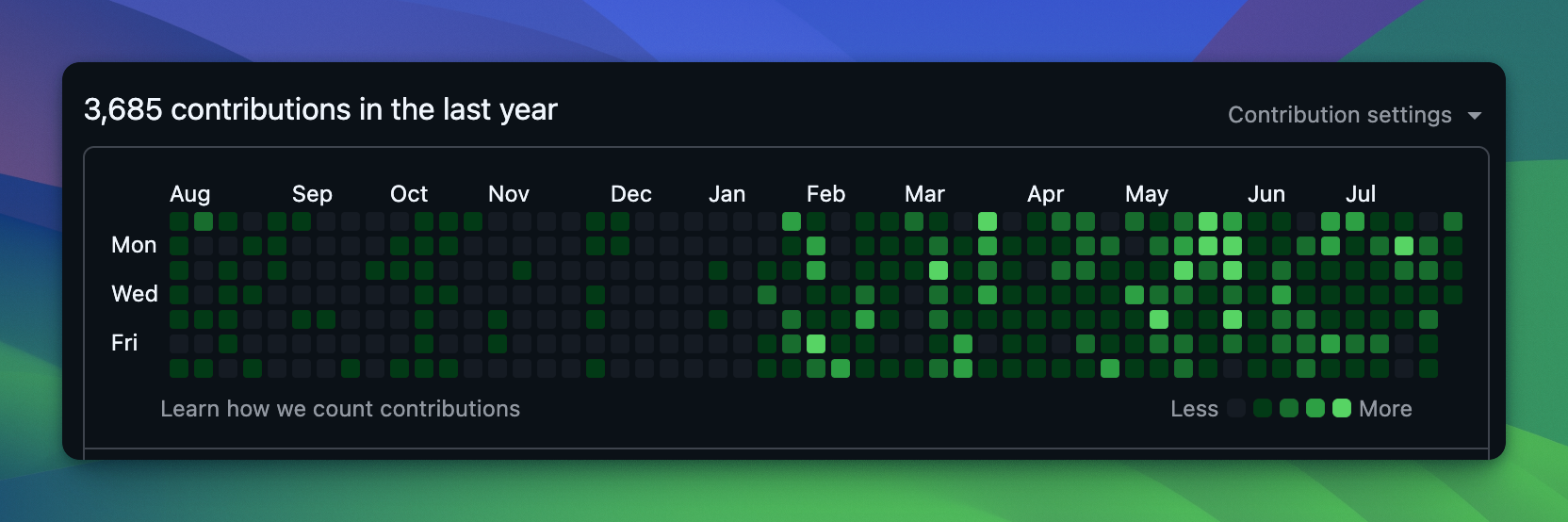
Today I'll show you how I use AI to write code every single day. And no, it doesn't require $1 million a month, but it does require some investment. I do this both at home and at work, so if I can do it, so can you.
Automating Annoyances
someone said that all of man's greatest inventions come from sheer laziness. It's safe to say that my greatest inventions have also been the result of my laziness.
If I am working with AI and I ask it to do something once, twice, maybe even three times, something is up. I need to fix that something. Which results in one of:
- A new skill
- A new binary
- Re-evaluating what I am doing.
I will give you a basic example. A while back Codex added the /review command, which basically got an agent to review your code using some custom OpenAI framework.
It's great! I would run it once, it would find 3 things, I would run it again, another 3, and so on and so forth, until eventually it would stop. Great... but why did I have to be there to type /review EVERY SINGLE TIME?
So I created $cold-pr-review-until-clean, which effectively tells the Codex session to spawn a subagent, get it to review the code, and if it finds valid issues, fix them, then spawn the subagent again, and again, until 3 sequential subagent reviews find nothing.
The whole point of that skill was to blind the subagent to any context at all, so that whatever it says back to me is a fair and unbiased review rather than a defence of work it remembers doing.
Side note... use your language's linting plugins! Tools like you-might-not-need-an-effect drastically improved my agents code quality.
These were great, but I was calling all of these skills myself CONSTANTLY... so I made $code-review, which combined $cold-pr-review-until-clean with runs of $typescript-discipline to ensure my agent made cleaner code. At this point my reviews were getting much better! Or so I thought...
Every time I would ask for a review, the Clawfather would come out to play, and one day he started mentioning his auto-review skill.
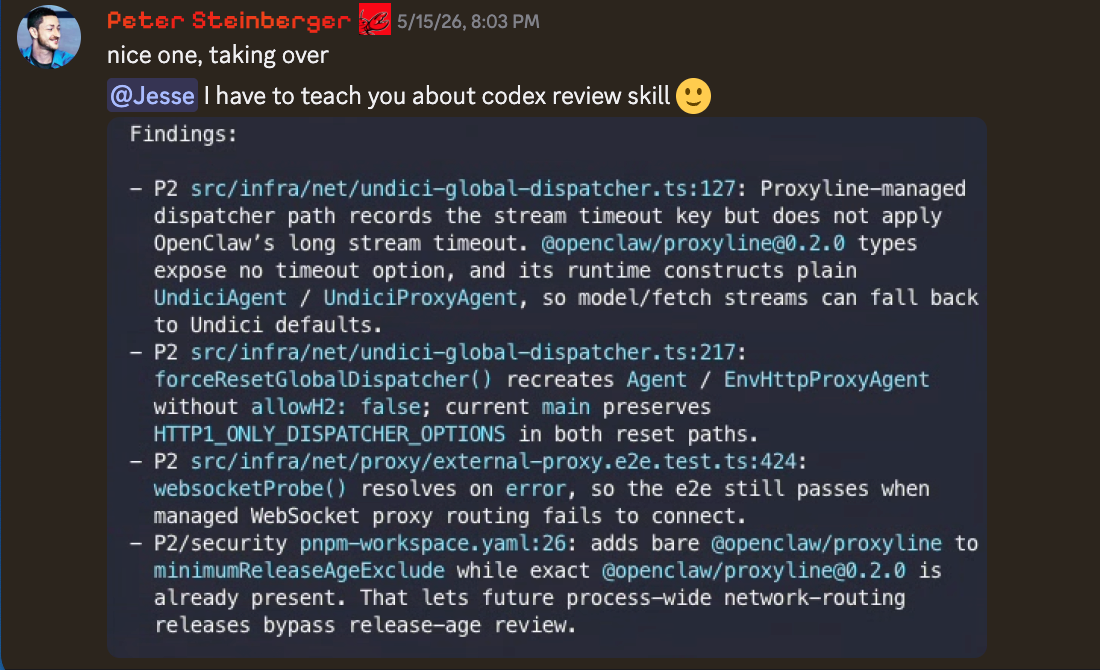
I was so confused. I looked at the skill, and it just seemed to be doing what $cold-pr-review-until-clean was doing - so I looked further... This was until I started doing some digging...
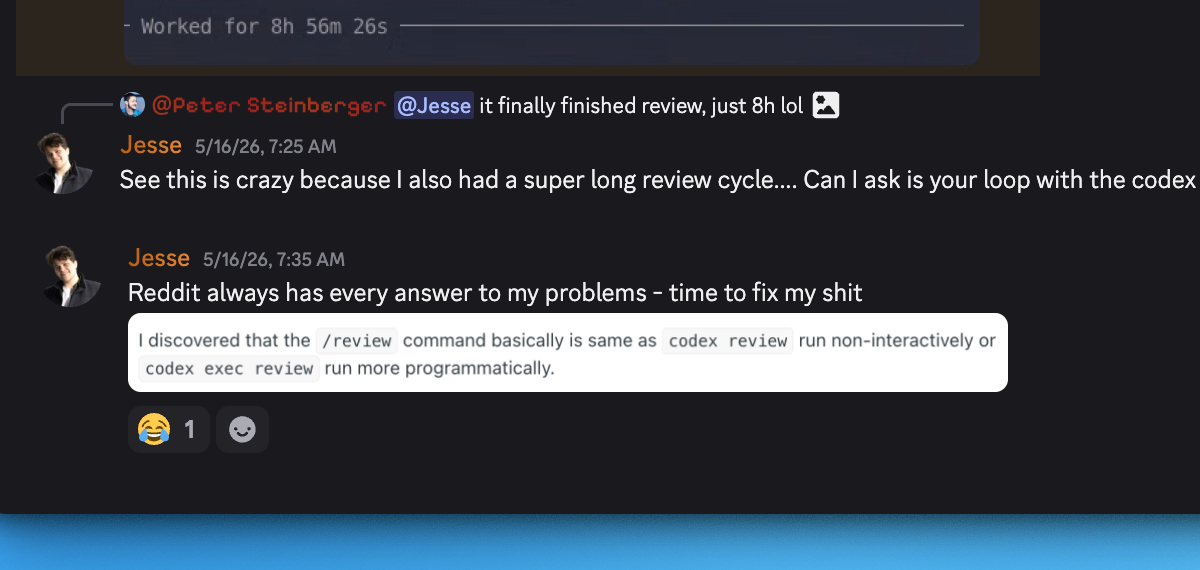
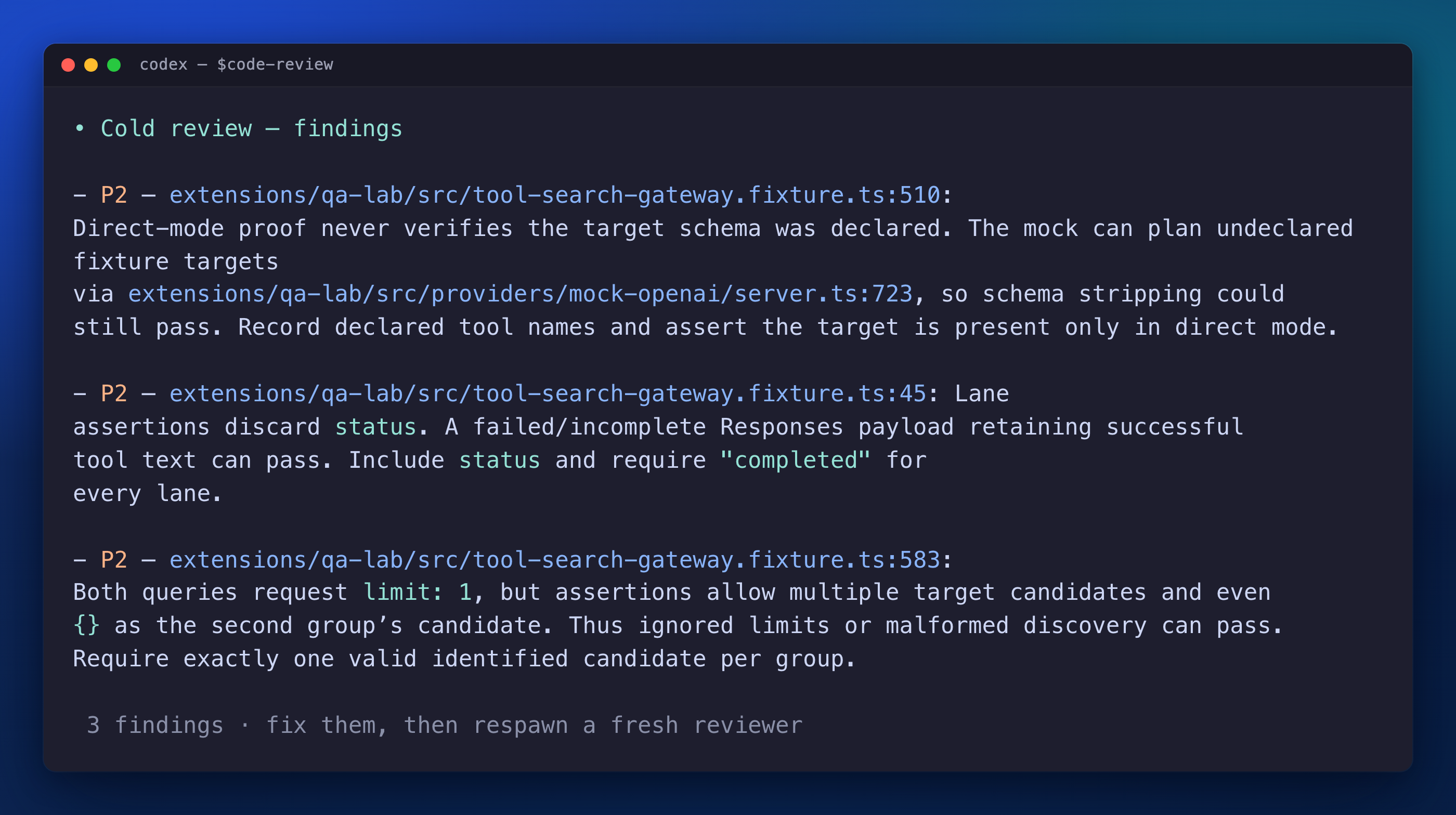
So... it turned out that the lovely /review command from codex could actually be called from the CLI! I added $review-until-clean into my $code-review skill, and ever since then we have had bliss. Here is a $code-review I just saw in one of my sessions as I am writing this.
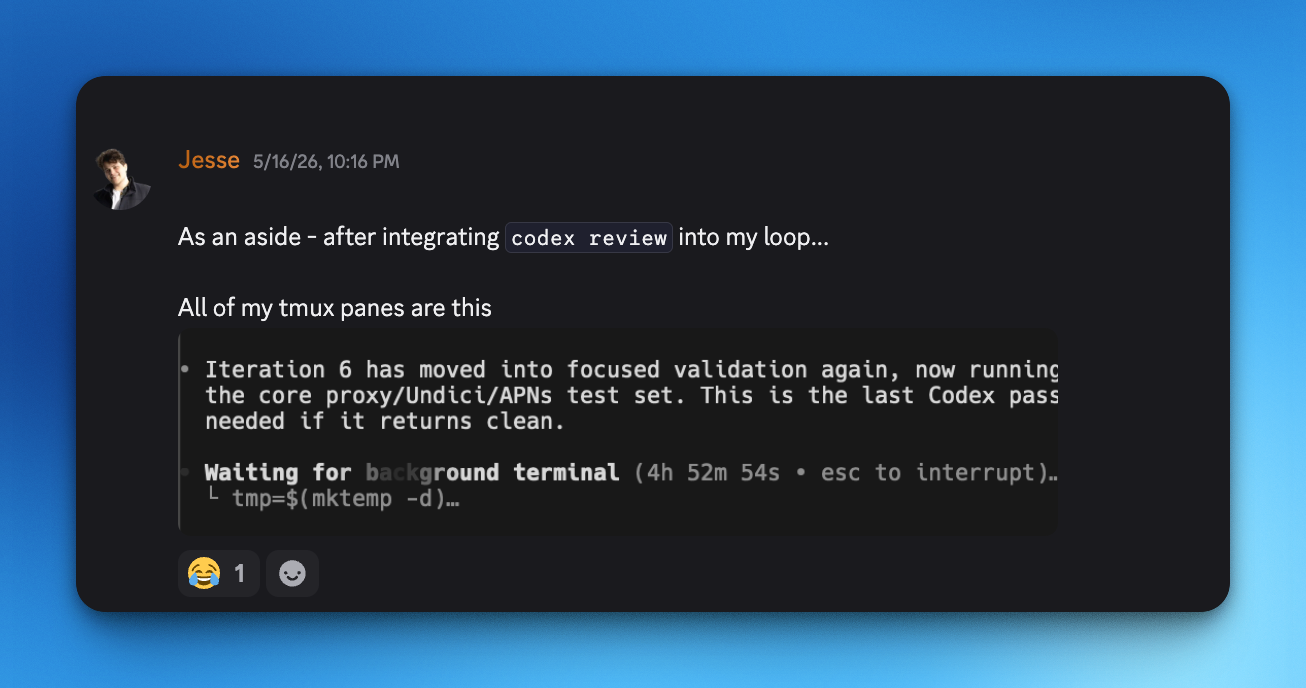
Another aside, I constantly read twitter posts about new little Codex tidbits like the
codex reviewwe just discussed... I feel like some of these features REALLY flew under the radar.
That being said, the time it takes to finish a review isn't proportional to its quality, and getting the workflow accurate is genuinely tricky... I haven't got a perfect answer and it's something I am still iterating on.

My Workflow
Through countless hours of development, I painstakingly have created numerous skills, plugins and binaries to improve my workflow. Most of my workflow now lives in my skills repo. Whilst it seems like a random pile of markdown I made when I was bored, I promise it is not. They are coherent and snap together really nicely to create an AI native engineering loop.
Most of what follows is how to use this workflow to have your agents produce the best quality output possible.
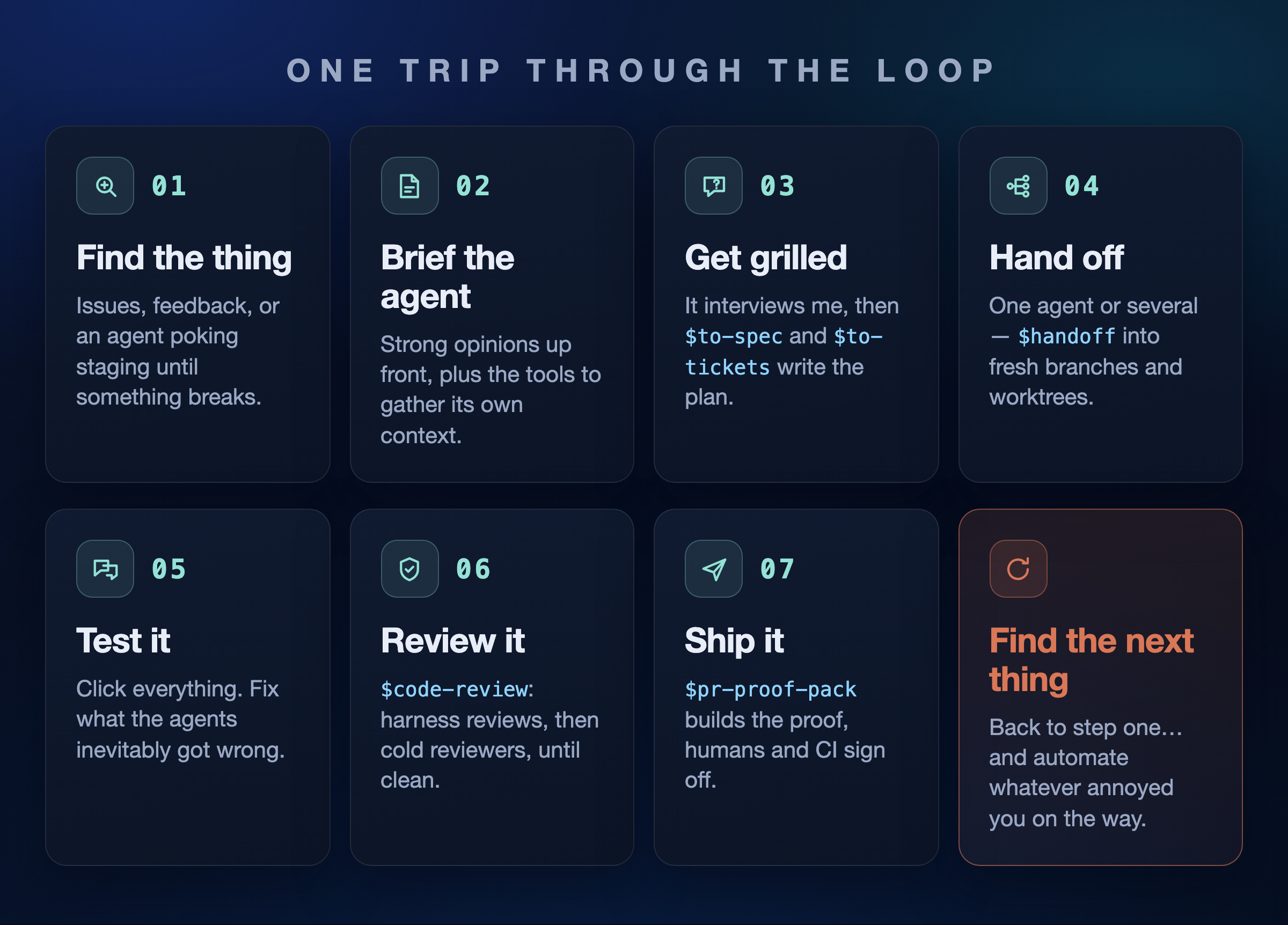
1. Find the thing
Naturally, the first part to the loop is to find a problem worth solving.
In OpenClaw, finding something is the easy part. We are sitting on anywhere between 2,000-4,000+ open issues at any one point. We have a constant firehose of PRs arriving daily, and an application that does real things on user machines, so there is never a shortage of things that are quietly broken, or that need polish.
Honestly, if I cannot find something to fix in under 2 minutes then I am not really looking.
So, I can just pick an issue, read a PR, or just use the app until something irritates me enough that I go and fix it myself. There is always a thread to pull on somewhere.
More often than not though, I have got my own ideas in the backlog, so that also helps with this problem! That being said, balancing implementing my own ideas vs. getting PRs/issues merged is tricky. What is important is that the problem I choose to solve is something that will make the user experience better overall. With the build-in-public announcement of Rovoclaw, sometimes those issues come from internal users which is quite exciting!
2. Brief the agent
To start the loop I pull up codex, or claude, or whatever is the best harness that week. Before I continue, I will say that I do have a preference for codex at the moment, but I am not loyal to one provider/harness. I also hope that the other providers get more competitive as to make AI quality better and cheaper :)
From here I give the model context, and this is the part most people fumble. An agent with no context is just an expensive autocomplete. So of course, start your agent inside the repo you're working in, and make sure it can reach any important context on demand. MCP is great here. For example, if you use Atlassian products (Confluence/Jira in particular) then using the atlassian-mcp is genuinely amazing and all the context you could ever need is fed to the agent on demand! Internally we also have some really nice MCP servers that expose internal documentation - meaning my agent can figure out how to do things like "Authentication" and "IAC" specific to our company's codebases.
What I will say is that there is a noticeable decrease in performance working on something that is entirely Open source (Openclaw) vs. internal Atlassian products. I imagine because the "Atlassian specific" parts are not complete reflections of how things are done in public settings, and therefore the agent isn't good at doing them.
Either way, garbage in, garbage out. The quality of everything downstream is decided by how well I set the table right now.
On this note, loyalty to models is something that I CONSTANTLY see in my social media, and I promise it is ruining your code quality.
The frontier models leapfrog each other constantly, and the second you get attached is the second you fall behind. For a number of months Claude was the SOTA for coding, and in my opinion that has since changed with the introduction of GPT-5.5, which is in general a better model for coding. That being said, GPT-5.6-sol and Fable are pretty neck and neck - although GPT is cheap enough that it outweighs any benefit Fable has. That being said, for frontend - Anthropic seems to still be doing really well.
3. Make it grill me
This has probably been the most impactful addition to my workflow, and I stole it straight from Matt Pocock: $grill-with-docs.
Being asked good questions is the fastest way I know to find holes in my own thinking. Half the time I get three or four questions in and realise the thing I asked for isn't actually the thing I want. It's mildly humbling to be completely honest, but I would also much rather discover an issue while talking to my agent rather than when I am three reviews deep with a broken release. So, I don't let my agent do anything until I'm happy with the solution on paper.
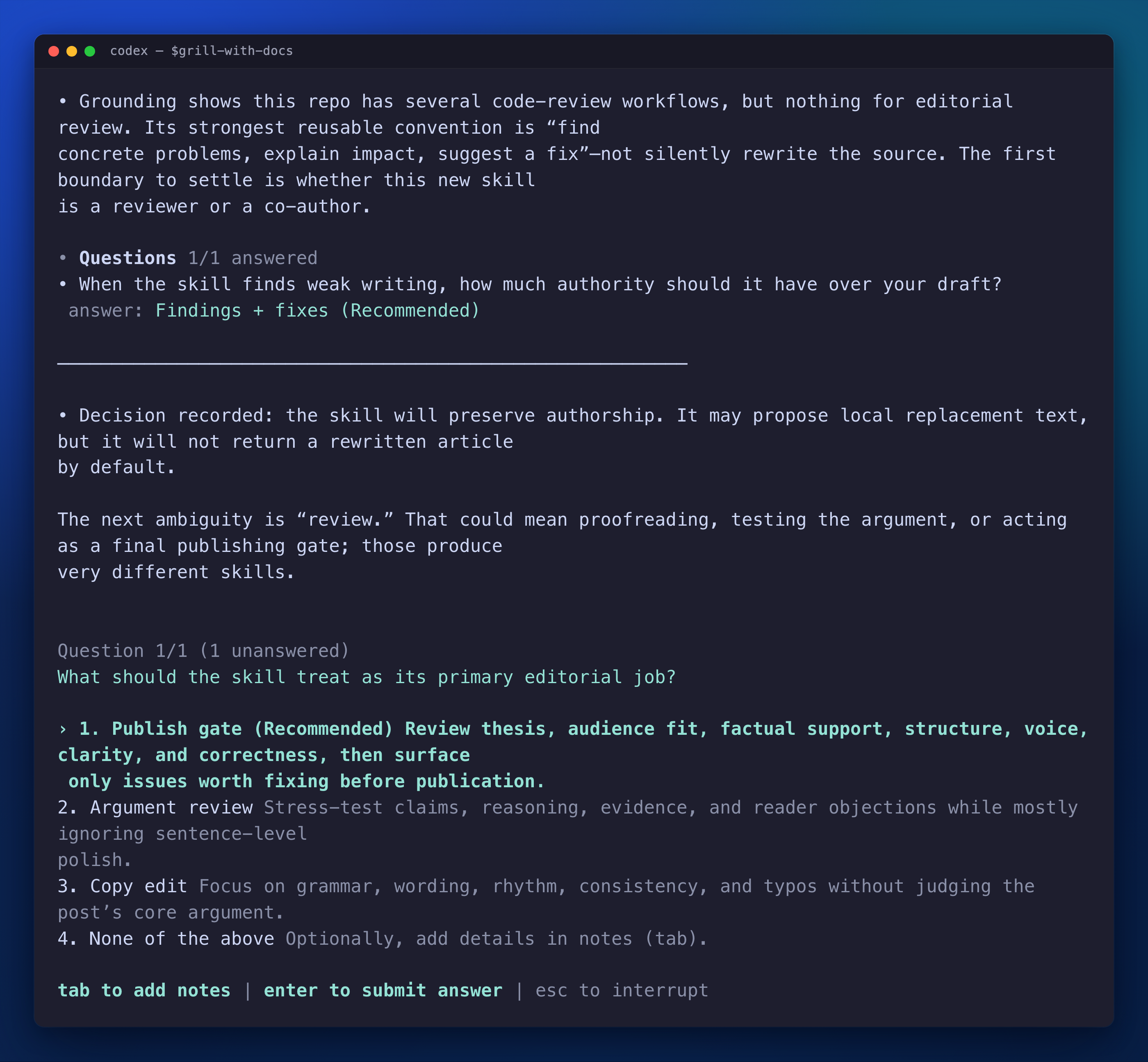
This is the most important step in the loop. Do not skip it.
4. Turn the conversation into a spec
$to-spec (also Matt's, modified by me) turns the discussion into a specification. I have personally modified it to use Obsidian which allows me to keep my work local to my personal machine. The funny thing is that I usually barely read the thing, because all it is doing is reflecting back the conversation I already had with my agent. If the grilling was any good then the spec more or less writes itself and reads like a transcript of my own brain.
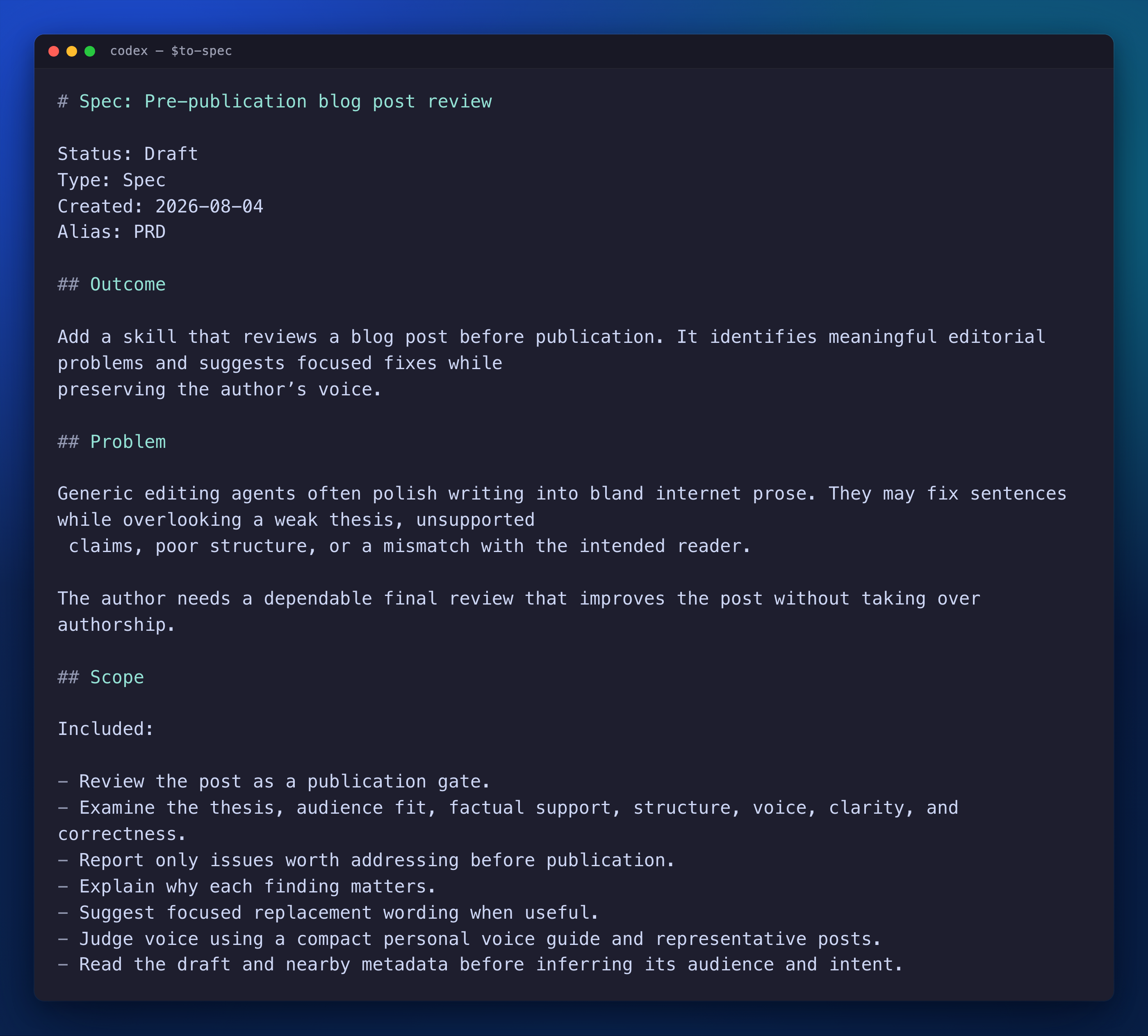
Then $to-tickets chops that spec into slices of work. Of course, they are written for an agent to pick up and execute rather than for a human to sit and stare at in a backlog.
So once I have run both of these, I now have a plan that lives in a file, instead of a plan living in a chat window I will inevitably lose the second I close the tab. If nothing else, the fact that I can always ask my agent to go back and read what was in the spec and tickets provides a very useful tool as I am developing.
5. Hand off and let it run
From here I usually use my $handoff skill. Funnily enough Mr. Pocock actually created his own skill with the same name BUT this one I can confidently say was my idea before it was his!
When I first wrote the skill it took the current conversation, squashed it into one document including:
- What we are doing
- What is decided
- What is left to do
Which was fully prepped and ready for me to paste a link to the new agent. This meant that sessions were no longer 'precious'. I could easily freeze any context and hand it to a clean agent that carries on like it had been there the whole time.
This was great! But I still had to pass along the document constantly and open a new session for it too. And by now you know I am lazy.
So, my skill has grown well past that first version. It does not just describe the next session, it starts it.
For example, I can take the tickets from step 4 and, for each one, cut a fresh git worktree, open a tmux pane, and fire up a codex or a claude session inside it, seeded with the handoff plus the one ticket it owns. This basically orchestrates a whole suite of work with one skill call.
This is also where those ten tmux windows from the top of the post come from. Fan out enough specifications full of tickets, and you create an army of tmux panes! This creates a brand new problem of keeping track of the swarm, which we will discuss a bit later...
6. Talk to it. Test it.
From handoff until the agent is finished for the most part I just wait until it's done. When it's done, I do the least futuristic thing imaginable. I talk to it! (Absolutely crazy)
Usually this starts with me testing the changes the same way I would test anything else. I poke at it, I try to break it, use it in weird ways. Then, when something looks wrong I tell the agent to do something about it. "This feels off." "You missed the case where X." "Why did you do it this way?"
There is no special syntax and no magic prompt here, it is just honest feedback in a loop until the thing genuinely works. The agent is very quick, but it cannot read my mind, and I am still the one who knows what "good" looks like for this particular change.
7. Review it like I hate it
Here is where $code-review comes in, I will summarise the workflow it describes.
$review-until-clean goes first. It shells out to the native codex review, fixes whatever comes back, and runs it again and again in a loop until there are two consecutive clean passes. My thought is one clean run straight after a fix is usually just lucky and running it a second time with no findings is usually pretty good.
Next, $cold-pr-review-until-clean will run. This spawns a subagent with none of my conversation and none of my reasoning attached. All it is given is the code diff. That agent reviews it cold and reports back. Again, we fix the findings, spawn a brand new subagent and loop. Again, two clean reviews are the exit criteria.
Other than that, I also have some other skills (some borrowed from @steipete's $auto-review).
$finding-discipline is nice to remove style nits and anything vague, so what actually reaches me has a real failure mode attached. Without something like that you drown in noise and start skimming the reviews, which defeats the entire point of running them.
I also use language specific skills like $typescript-discipline, which is just there to stop the agent making the same mistakes I constantly see.
Yes, it's a lot of passes for one PR, but it's autonomous and easy to use.
8. Ship it
Only now do I actually make a PR.
$pr-proof-pack bundles up the evidence for me, which means screenshots, the test runs, the reasoning behind the change, and a before and after. What I am trying to do is make the PR trivial to review for me or someone else.
I will then review it myself, and I get other people to review it too. Honestly, this part is where the old craft still lives and in my opinion is where software engineers are going to be sitting for the most part going forward. I firmly believe that the taste side of software engineering mostly lives in the architecture and review phases, and being able to execute both of these is what will separate the good codebases from the bad.
Then CI goes green, the PR is merged. That is one trip around the loop.
(Bonus) Some useful and cool things I built for my workflow
Most of what is below lives in my skills repo. So if you want to use any of it, go point an agent at that :)
A worktree for every task
This one is my favourite because I forget it exists.
Every task an agent picks up should get its own branch and its own checkout. Otherwise ten agents in ten panes are all standing in the same directory, and you spend your day resolving conflicts you created yourself. Doing that properly by hand means naming a branch, cutting a worktree, starting the agent in it, and remembering to tear it down later. Four steps I was never going to do consistently.
So I wrote agent-trees, which does all of it inside the command I already type. It installs an alias over codex and claude, so when I start a session it asks what the task is, turns that sentence into a branch name, cuts a worktree, and drops the agent in there. When I'm done it offers to remove the worktree and delete the branch.
› fix the broken login redirect when users sign in from Google

agent-trees: ~/repos/app-fix-broken-login-redirect on jesse/fix-broken-login-redirect
I still type claude. The good habit costs me nothing, so it actually happens. Hit Ctrl-D at the prompt and you stay in the current checkout, which is what you want for a quick question.
The Cockpit
Remember those ten tmux windows from the top of this post? I learnt quickly after spawning them that managing them is extremely difficult.
So, I experimented very early on with a way to - at a glance - figure out which pane needs me without having to click through every single one.
Now, in my tmux, each agent gets an icon in its brand colour - an orange for Claude, a purple for Codex. While the agent is working, that icon breathes through shades of grey, so it doubles as the loading spinner. The moment it finishes and wants something from me, it snaps to full brand colour.
It works pretty simply. The agents call a hook when they finish and separately, a background monitor watches each pane's raw output. So if an agent crashes, or just forgets to call the hook, the light still tells the truth.
The other half of the problem was naming. A default tmux session is a row of windows all called zsh, which is completely useless when all of them are just codex agents.
So I also have some code that renames each window to reflect what the agent is actually doing. This naming is usually pulled from the Codex thread's first prompt, Claude Code's session summary, or a tiny local model (qwen - offline and free) when neither exists. "review imagegen PR" beats "zsh" every time.
And, because tmux-resurrect and continuum sit underneath the whole thing, the cockpit survives a reboot. I highly recommend both of those plugins even if you never touch agents - they're worth it for a normal tmux setup on their own.
But I take it a step further than just restoring the panes. I have a script hooked into continuum that records which agent was living in which pane, and on restore it runs codex resume or claude --resume to bring each one back into the conversation it was actually having. So a reboot doesn't cost me ten sessions worth of context, it costs me about thirty seconds. And if one comes back as an empty shell anyway, a single keybind relaunches whatever is missing.

Finding the session in the graveyard
When you run as many agent sessions as I do, you end up with a graveyard of them. Codex stores every session in a local database, which is great, right up until you want to resume one. I mean it's not easy to just ask the agent "Which of these forty threads was the one fixing the pagination bug?"
So I built agent-session-find. It indexes the session store, fuzzy-searches across thread titles and first prompts, and drops me straight back into the right one. Basically spotlight, but for my own agent history.
The part I didn't expect is that it turned out to be more useful to the agents than to me. It's wired into a $session-recall skill, so when an agent suspects we already solved something last week, it searches the sessions itself and pulls back the one thread that matters. Before that its only option was grepping through a pile of transcripts and dragging half of them into context. Now it gets a few result cards and opens the one it needs.
Giving my reviewers a memory
Cold context is what makes my reviews honest, and it is also what makes them forgetful. A blind reviewer has no idea that the "issue" it just found is something that was found by another agent two loops ago and deliberately decided not to fix. So it raises it again. And again. Every single run.
So I gave the reviews a memory. review-findings keeps a store of findings that have already come up, what I decided about each one, and why. Before a reviewer raises anything, it checks the store, and if the thing was already fixed - or already declined with a reason attached - it doesn't get to waste my time with it twice, and looks for more bugs.
The thing I'm still tuning is how much of that store to hand a reviewer without accidentally poisoning the cold context I worked so hard to keep cold. Tell it too much and it stops being a fresh pair of eyes. But it works, and the reviews genuinely do get sharper the longer I use them instead of relitigating arguments I settled weeks ago.
So what should you do?
None of this tooling is strictly necessary. You could run the whole loop with a plain terminal and some patience.
So if you take one thing from this post, don't take my specific commands. Half of them will be obsolete by the time you read this and the other half are duct-taped to my very particular setup. Take the shape instead. So, find the thing that annoys you and automate it, and then keep doing that until the annoyances have quietly turned into a loop. Feed that loop as much context as you can, because the output really is only as good as what you put in, and then be the last check before any of it ships.
I'm a software engineer at heart and part of me does still miss writing every line by hand. But I'd be lying if I said running a loop that ships this fast wasn't its own kind of fun.
Anyway. That's how I actually ship code now. I barely write any of it, and somehow I've never shipped more.
Thanks for reading :)